DCC Tools / Pipeline
Digital content creation tools and pipeline integrations
Manticore Games
2020
Senior Technical Artist
Context
DCC tools and pipeline integrations for Maya, Substance Painter, Perforce, exporters, UV utilities, texture baking, and shared technical art libraries.
My Contribution
Built shared Python tool libraries, Perforce integration, export/send workflows, Maya and Painter plugins, UV and mesh utilities, and standardized DCC environment setup.
Impact / Outcome
Standardized artist-facing DCC workflows, reduced manual export/setup work, and made pipeline tools easier for technical artists to maintain and extend.
Outcome Summary
DCC Tools and Pipelines
This page contains selected DCC tools and pipelines I have contributed to. All tools are documented on the team Confluence.
Table of Contents
- Create Tools Function Library
- Perforce Menu (Shared across all DCCs)
- Exporter / Send to UE (from Maya and Substance Painter)
- Maya: Send to Substance Painter
- Maya: UV Unwrapping Tool
- Maya: Animation Preview Tool for Rigged SKM
- Maya: Mesh Edit Utility Tools
- Painter: Texture Baker
- DCC Software and Env Path Setups
- Claude Skills
- Other Related Out of Time and Core Platform
Create Tools Function Library
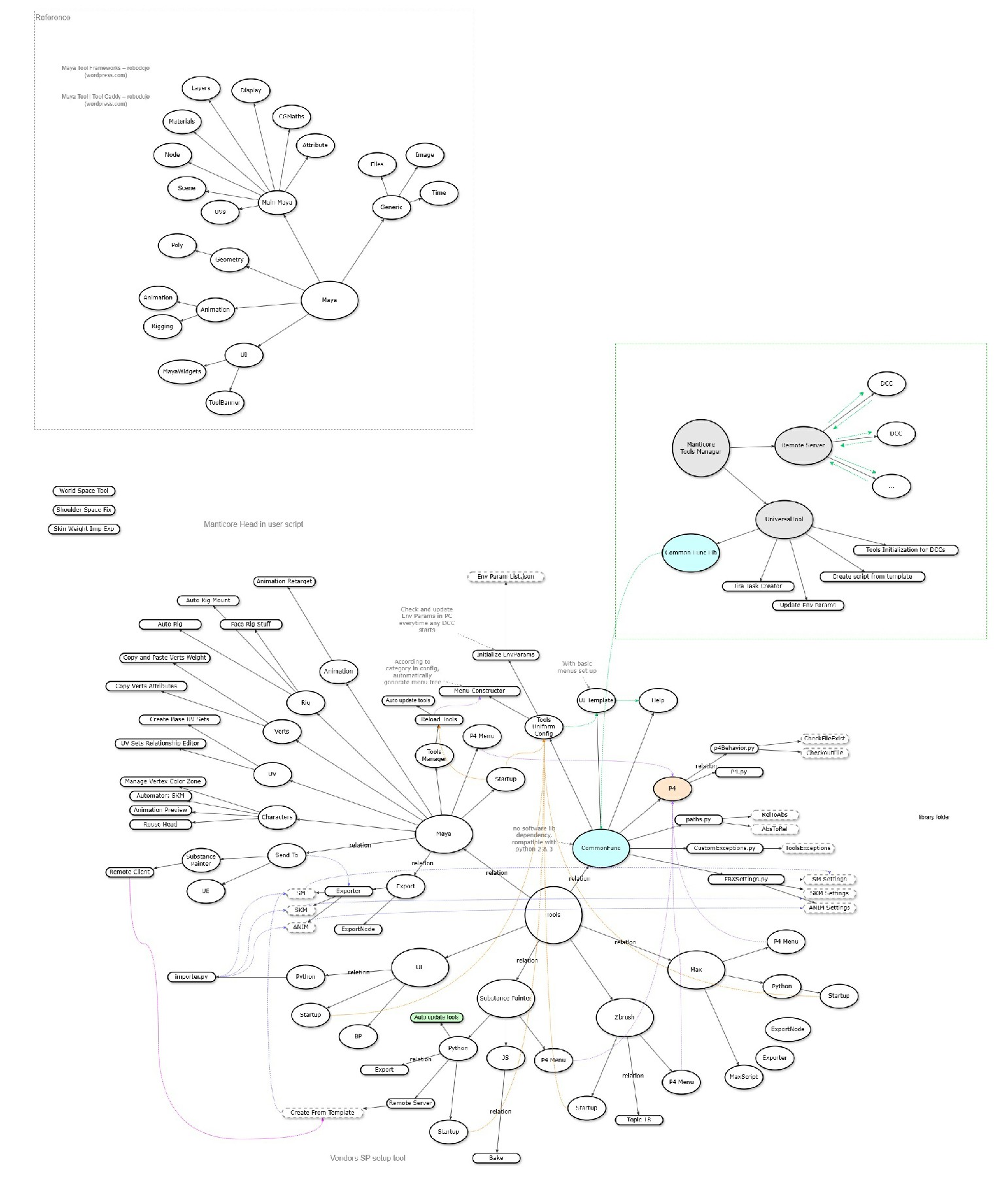
As we built more and more Python tools for DCCs, we found that many functions were shared across different tools. To avoid duplication and improve maintainability, we built a shared internal function library. Here is the framework:
image
We also established internal coding standards and tool templates with standardized default setups — including help menus, debug menus, and UI guidelines. These ensure all tools are consistent in look and behavior, intuitive for artists to use, and straightforward for technical artists to maintain.
Perforce Menu (Shared across all DCCs) (Python)
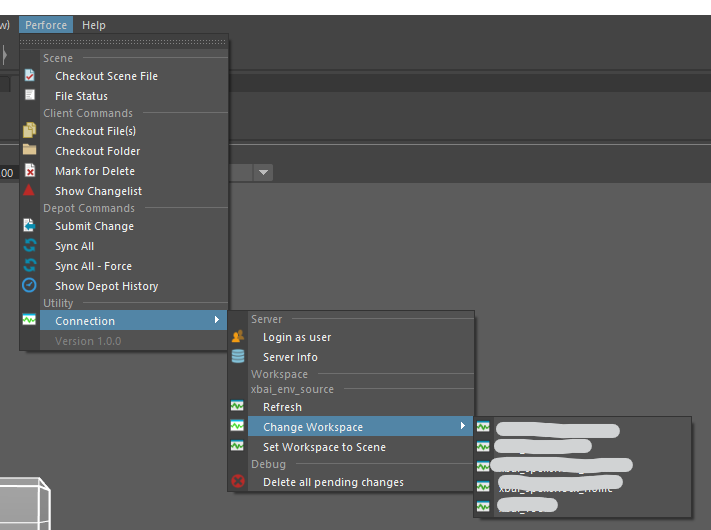
We use Perforce for source control, and tighter DCC integration was in high demand. We built a core Perforce library in the shared tools library, then adapted the menu UI for each DCC software, ensuring a consistent experience regardless of which application the artist is working in.
 image
image
Exporter / Send to UE (from Maya and Substance Painter)
The Maya Exporter consists of several parts: the Export Node, the Export function, and the Send to UE function.
- The Export Node is a custom Maya node type with attributes for a wide range of export settings. It also stores UE importer settings, which are passed along by the Send to UE function.
- The Export function handles the full export process in the following steps:
- Combines meshes and sets collision meshes accordingly
- Triangulates the mesh if not already done
- Deletes history on meshes
- Runs any custom pre-export scripts
- Calls Maya's native export function, applying our custom settings based on mesh type and avatar part
- For animation exports, skips all meshes and exports only animation data
- Runs any post-export scripts
- Handles source control for exported files
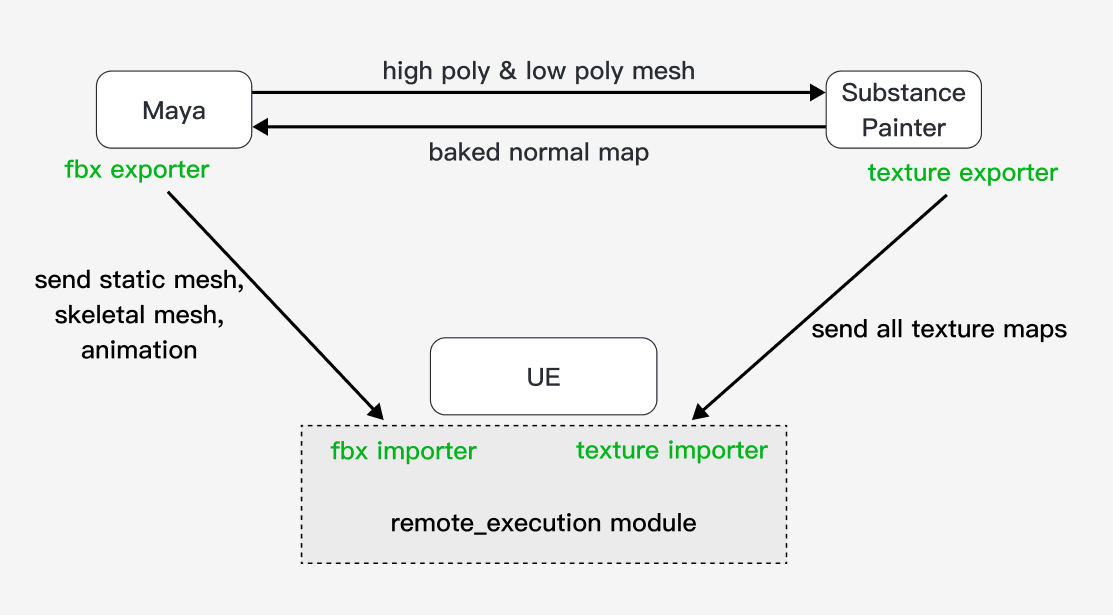
- The Send to UE function locates UE's RemoteExecution module and sends the import command to call the UE importer function, passing importer settings as arguments.
The Substance Painter Exporter also includes an Export function and a Send to UE function.
Maya: Send to Substance Painter
This tool enables one-click sending of models from Maya to Substance Painter for normal baking and texture painting. Meshes are required to have _low and _high suffixes so that Painter can automatically recognize them — the _low mesh must have its UVs properly unwrapped, and the details from the _high mesh will be baked down as its normal map.
The tool also handles Painter software launch/restart and project creation automatically.
 image
image
Maya: UV Unwrapping Tool
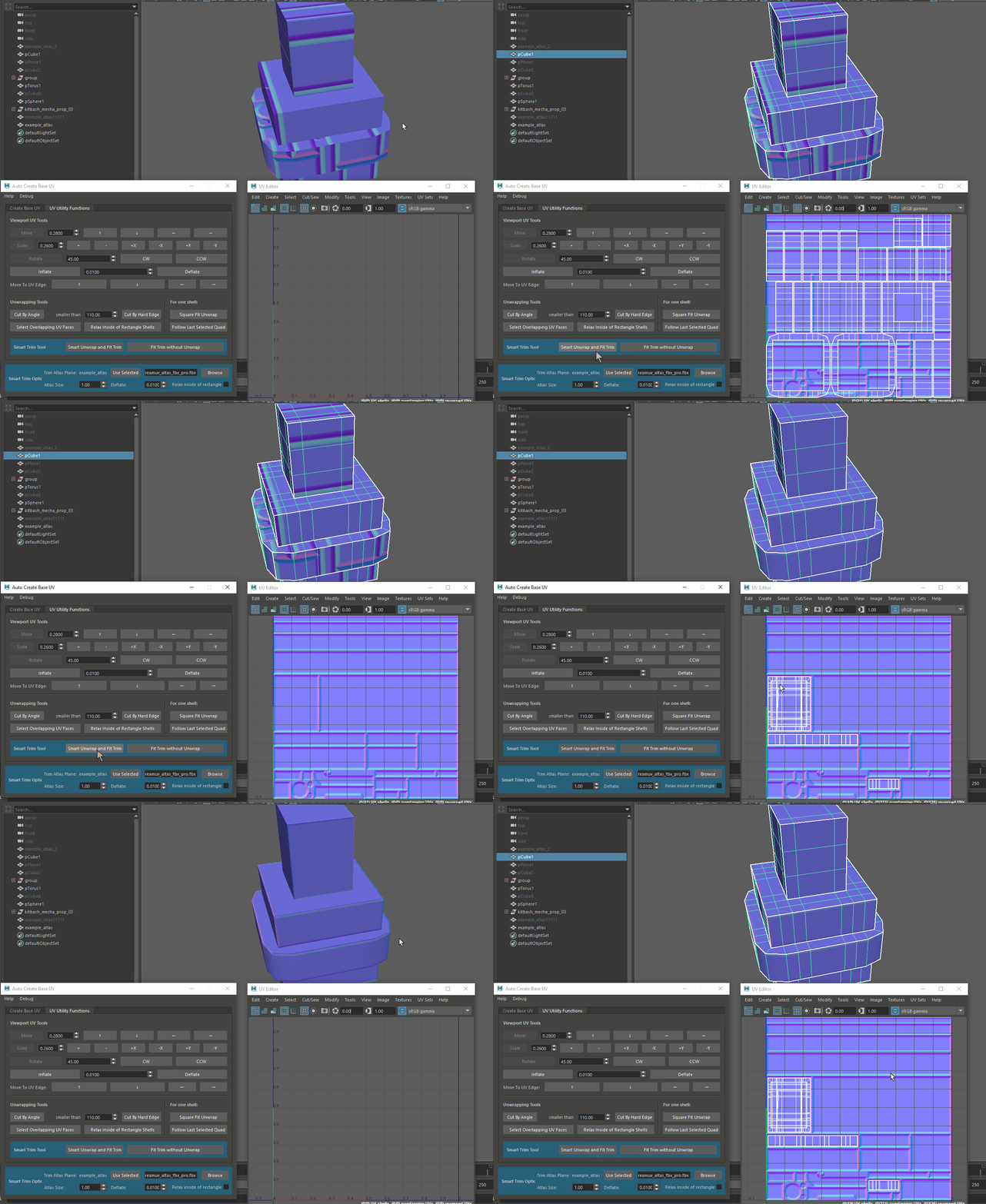
This tool provides UV unwrapping and UV shell editing functions. It consists of three parts: Create Base UV, UV Utility Functions, and Smart Trim Auto Unwrapping.
- Create Base UV generates the base UV layout for static meshes following our custom setup.
- UV Utility Functions is a collection of shell transform, selection, and unwrapping utilities.
- Smart Trim Auto Unwrapping is designed for meshes using trim sheets. It unwraps the UVs, finds the rectangle area on the trim sheet that best matches each UV shell's size and shape, and automatically transforms each shell to align with the corresponding trim sheet section.
 image
image
Maya: Animation Preview Tool for Rigged SKM
This tool allows rigging artists to inspect and verify rig setups for cosmetics and gear. It can bring in other Maya files as non-destructive references — including animation files, avatar body files, and head files — without modifying those source files.
Maya: Mesh Edit Utility Tools
This tool contains two utilities: Material Reorder and Vert Attributes Transfer.
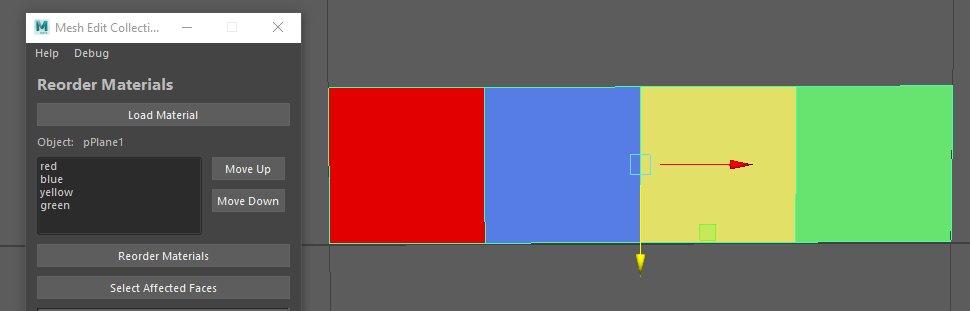
Material Reorder — Material order in an FBX mesh is determined by face index order; materials assigned to lower face indices appear first. To reorder materials, we reorder the underlying face indices by splitting out the faces for each material starting from the lowest index, then recombining and merging them.
 image
image
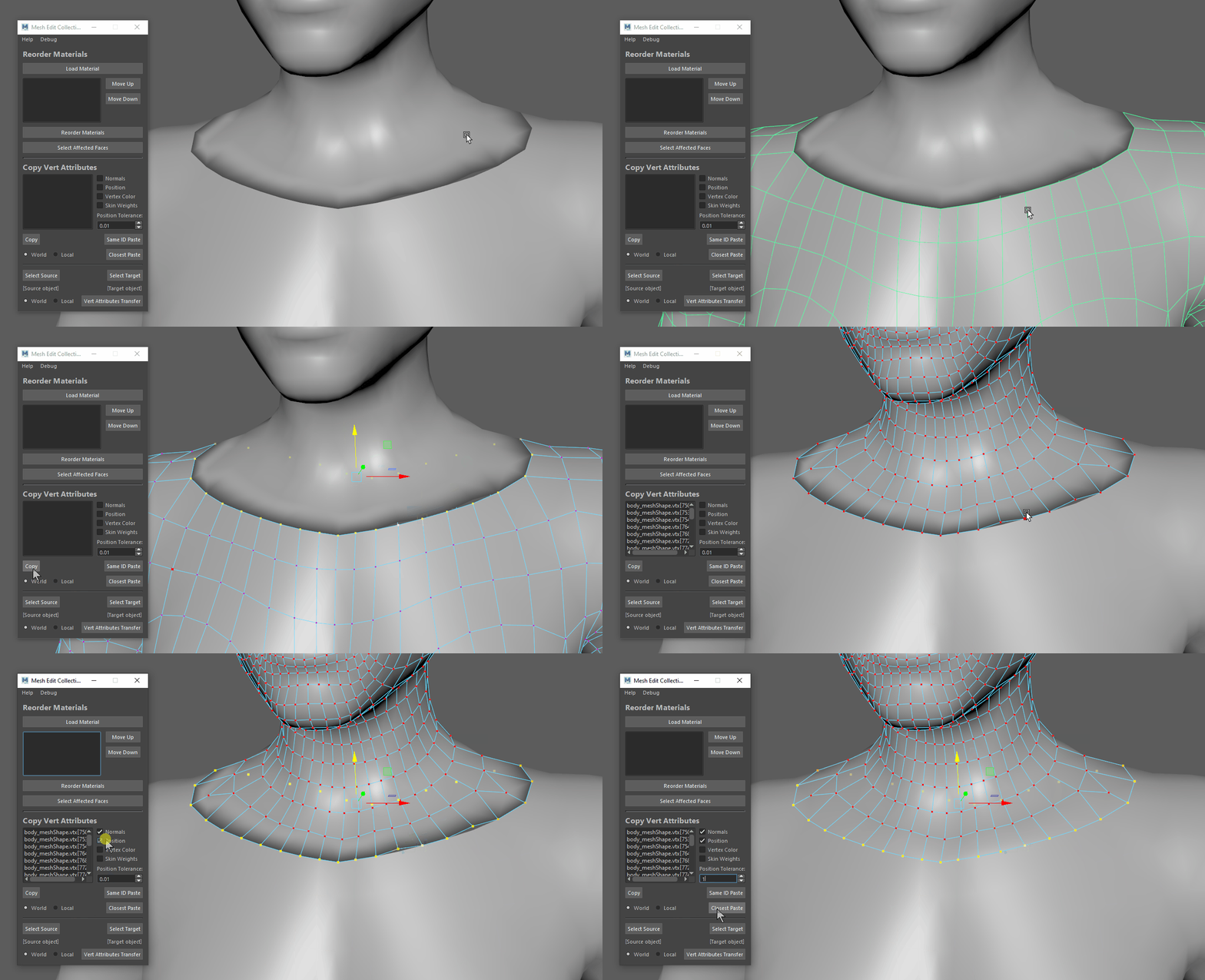
Vert Attribute Transfer — Copies the most commonly used vertex attributes and pastes them either to the closest vertex or to the vertex with the matching index.
 image
image
Painter: Texture Baker
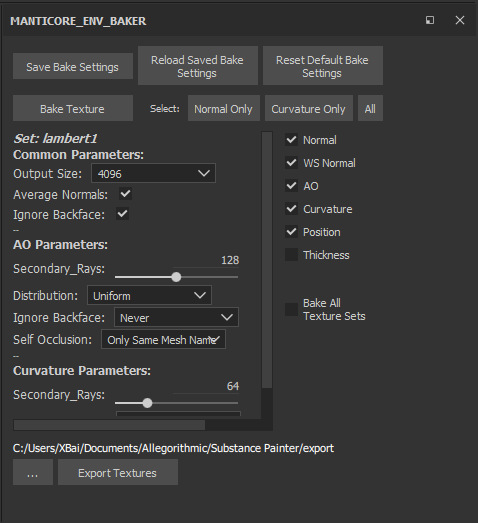
This tool is a curated collection of our most-used texture baking settings, with sync support for software settings and quick-access shortcuts for texture selection and baking menus. It is a JavaScript plugin with several Python functions invoked via command line.
 image
image
DCC Software and Env Path Setups
Every time new team members join, or we set up a new machine, a full DCC software reconfiguration is required. We streamlined this process as much as possible:
- We built a setup executable that one-click modifies environment paths and software offline settings.
- For each DCC, we created a startup Python file that runs all necessary function calls in sequence on software launch, ensuring all custom settings and plugins are loaded correctly.
Claude Skills
As our team ramps up with AI tooling, we have also started distilling workflows and domain knowledge into reusable skill files.
Related Projects
Out of Time
Manticore Games · 2026
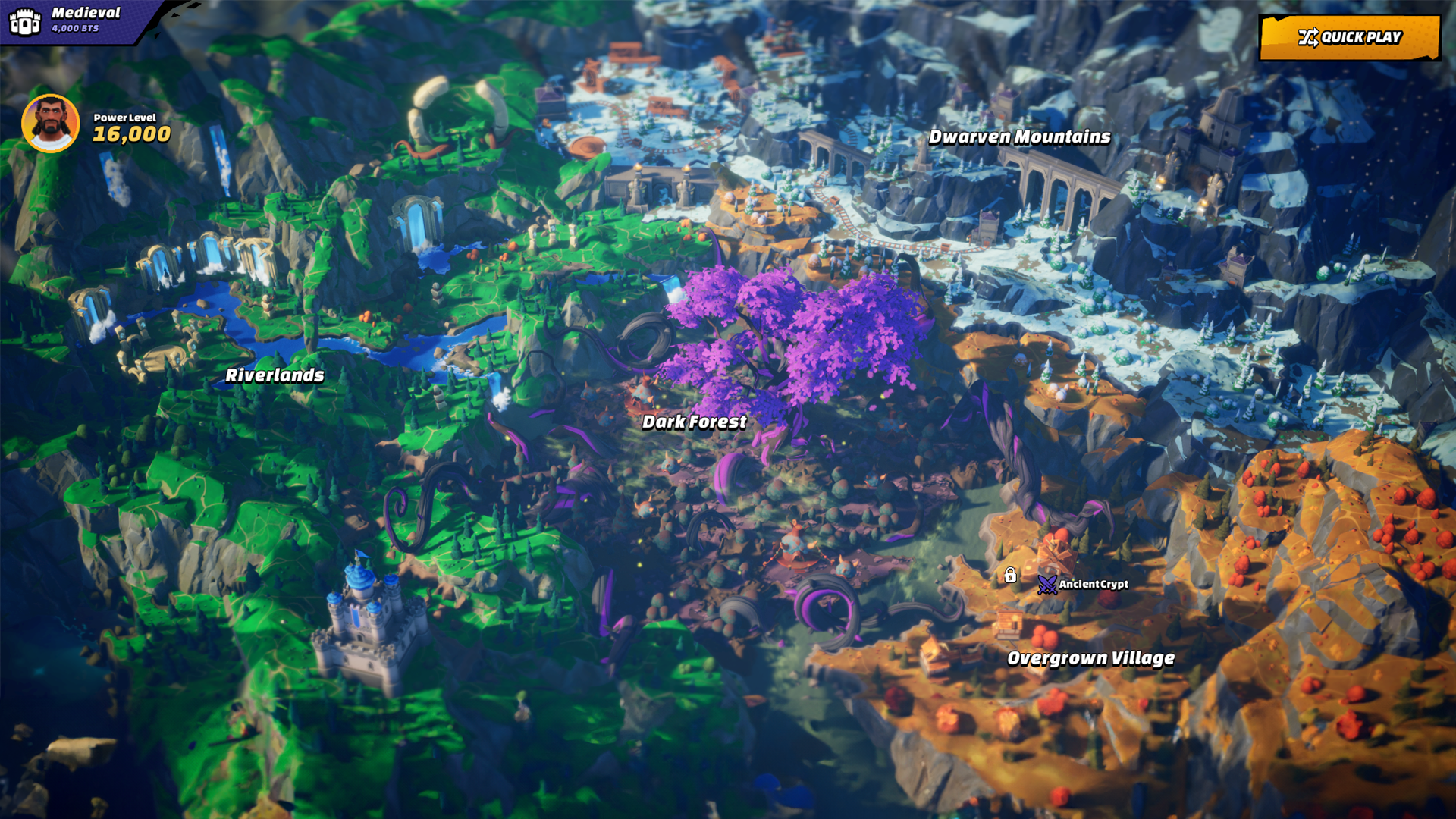
Core-to-Unreal automation pipeline and large-scale mob rendering for a multiplayer rogue-lite
Impact
Artists kept Core's fast iteration while the runtime gained native UE performance. The pipeline became the performance foundation of Out of Time: ~50% fewer actors, ~90% fewer mob draw calls, and 200+ on-screen mobs at 30 FPS on Steam Deck.
UE Art Pipeline Tools
Manticore Games · 2020
Asset import, validation, and automation tooling on the Unreal side
Impact
Gave 20+ artists a UE-side tool layer they use daily, with import and setup collapsed into one click. 98 data-driven validation rules catch asset problems before they reach a build, bringing daily build errors from asset issues down to near zero.