UE Art Pipeline Tools
Asset import, validation, and automation tooling on the Unreal side
Manticore Games
2020
Senior Technical Artist
Context
A set of Unreal art pipeline tools covering asset import, on-save validation, merge optimization for kitbashed assets, placeholder asset generation, and performance data collection.
My Contribution
Designed and implemented the Python, Blueprint, and C++ layers of the UE-side toolset, including the importer, a data-driven asset validator, a merge optimization study for kitbashed assets, and several automation tools.
Impact / Outcome
Gave 20+ artists a UE-side tool layer they use daily, with import and setup collapsed into one click. 98 data-driven validation rules catch asset problems before they reach a build, bringing daily build errors from asset issues down to near zero.
Outcome Summary
UE Art Pipeline Tools
TL;DR: I built the Unreal-side tool layer for Manticore's art team. Artists click once in their DCC and the asset lands in UE fully configured, and the validator checks it against our standards on save, so problems are caught before they reach a build.
Table of Contents
- At a Glance
- Send to UE Importer
- Asset Validator
- Technical Exploration: Bespoke Asset Conversion
- Selected Smaller Tools
- Principles I Took Away From Building These
At a Glance
| My role | Primary designer and developer of every tool described here, end to end: architecture, implementation, documentation, and ongoing maintenance |
| Users | 20+ artists across the character, environment, and VFX teams, plus the marketing team |
| Team | TA team of 2–3 |
| Stack | Python (most logic), C++ (engine functionality Python can't reach), Blueprint (editor UI) |
| Key numbers | 20+ artists using them daily · 98 validation rules · daily build errors from asset issues →~0 · 20+ tools and scripts |
From 2020 to 2026, I built 20+ tools and automation scripts on the UE side, all documented on the team Confluence. This article covers the ones that best explain how I approach tooling: the two with the widest reach, one technical exploration, and four smaller tools that each solved a specific class of problem. Ownership on the TA team was per tool rather than per area, and every tool described here was mine from design through maintenance.
1. Send to UE Importer (Python · C++ · Blueprint)
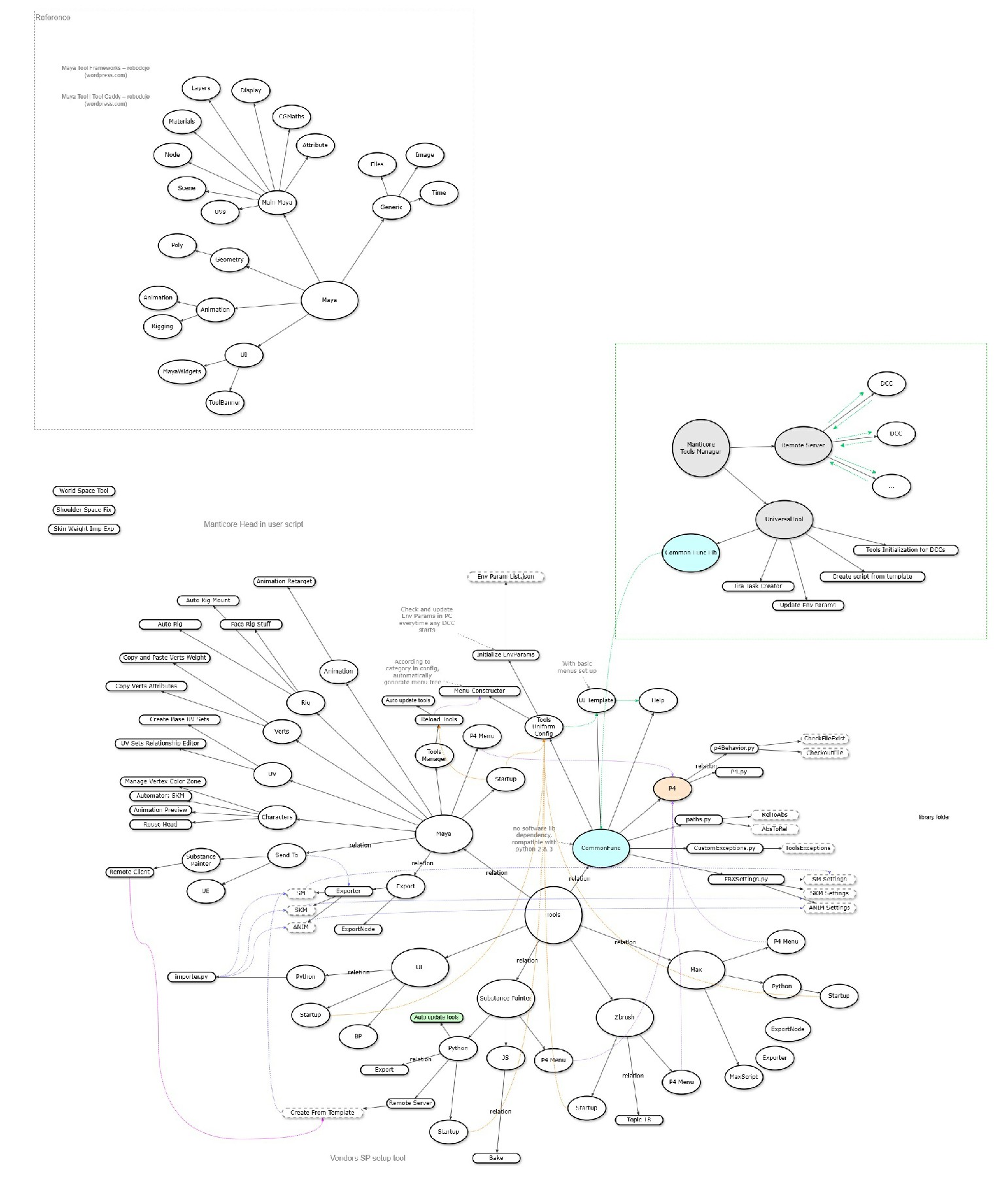
The sending side (Maya / Substance Painter) is covered in DCC Tools / Pipeline.
The problem: artists exported FBX files by hand, then imported them into UE one by one, set parameters, created material instances, and hooked up blueprints. During fast iteration this meant clicking through the same steps over and over, and misconfigured parameters were common.
What I built:
- A standalone one-click importer first, configuring each part or asset category based on our naming conventions.
- Automatic creation and setup of the associated materials, blueprints, and data assets.
- UE's built-in Python RemoteExecution module as the receiving end.
- An internal Python library that parses incoming messages along with FBX and texture import arguments, then calls the importer above with the matching settings.
- A C++ function library for anything Python can't do, called from Python.
- Per-slot handling for avatar cosmetics (head, helmet, upper, lower, back, and so on). Artists import a full set of parts in one click, and the tool handles the add, update, and overwrite cases automatically.
- Perforce integration: every affected asset is checked out or added to a changelist automatically.
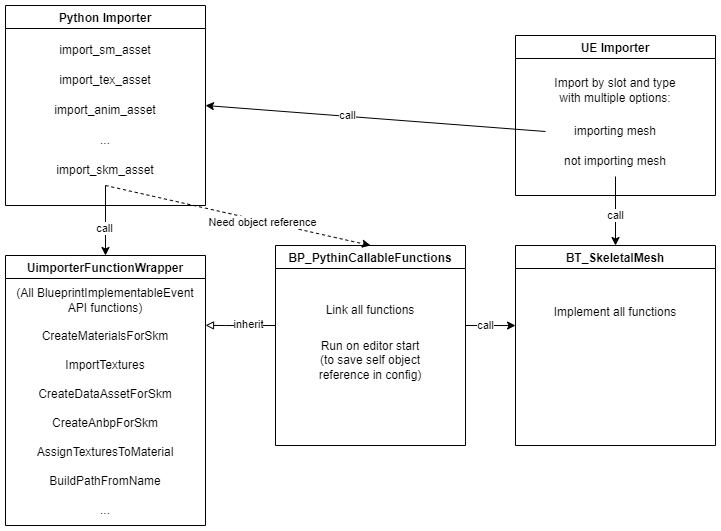 UE-side importer
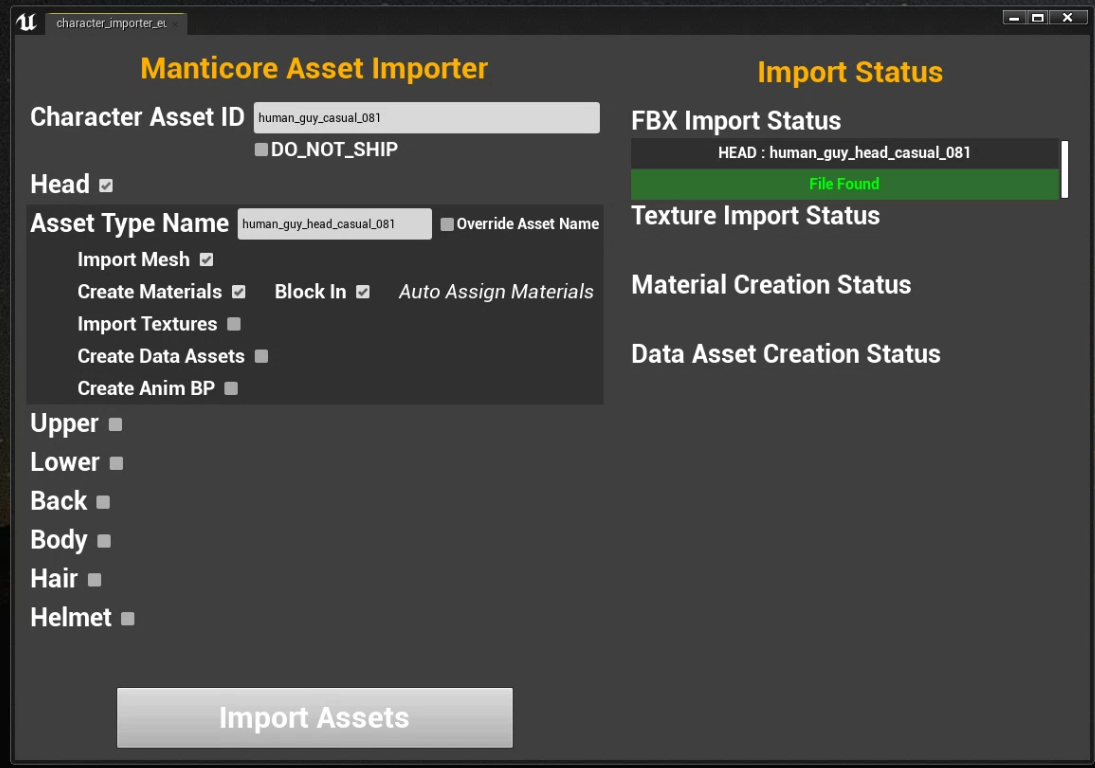 Avatar part import
Results:
- It became the most used tool among artists after release, and received kudos from them repeatedly.
- A full set of avatar parts exports and imports in one click, which sharply cut the repeated clicking during fast iteration.
- The import functions were encapsulated well enough that several other tools needing specialized import behavior were later built on top of them.
2. Asset Validator (C++ · Python · Blueprint)
The problem: art assets have a lot of standards to meet — LOD counts, texture settings, naming, dependency integrity — and manual review always misses some. Once an error reaches a build, both finding it and fixing it cost more. In one case a mesh with too many material slots broke that day's automated build.
What I built:
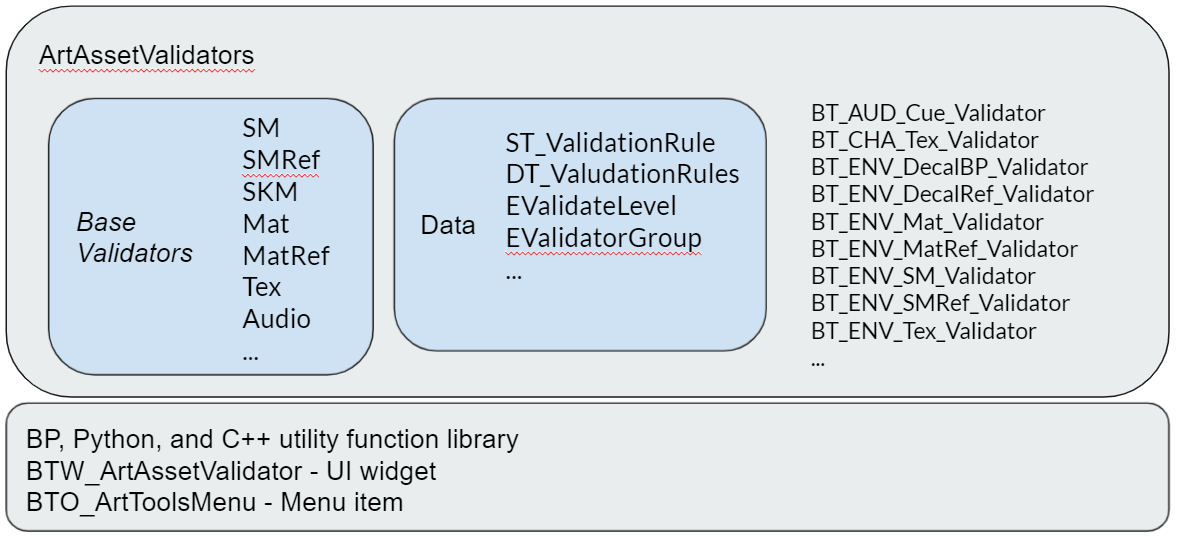
- On-save validation built on UE's built-in Validator subsystem.
- Checks covering asset standards, setup requirements, and dependency integrity. Example rules:
- "Every static mesh under the tilesets folder must have 5 LODs."
- "ARCM textures must have sRGB disabled."
- Rules live in a DataTable, so adding a check requires no code changes and art leads can add rules themselves.
Asset validator
- Rule count: 98
- Severity levels: Error for anything that breaks a build or causes in-game problems; Warning for issues that break neither but still need fixing.
- False positives and exceptions: handled through allow lists and folder-specific rules.
- Two ways to run: automatically on every asset save (UE's default behavior), or manually from the tool UI to scan for existing bad assets.
- Validation is separate from fixing: the validator only reports problems, and the user fixes them after reviewing the results.
Results: after it shipped, problems caused by asset standards in the daily build dropped to nearly zero.
3. Technical Exploration: Bespoke Asset Conversion (Not Productized)
Background: Core creators kitbash objects out of the engine's built-in parts. Those objects generate a lot of draw calls, which becomes a performance problem. The team wanted to know whether they could be converted automatically into bespoke assets — a single mesh with a single set of textures.
The problem: UE's built-in mesh merging with Merge Materials enabled produces a large atlas with poor UV utilization. Merging 8 source meshes, for example, leaves large empty regions in the texture:
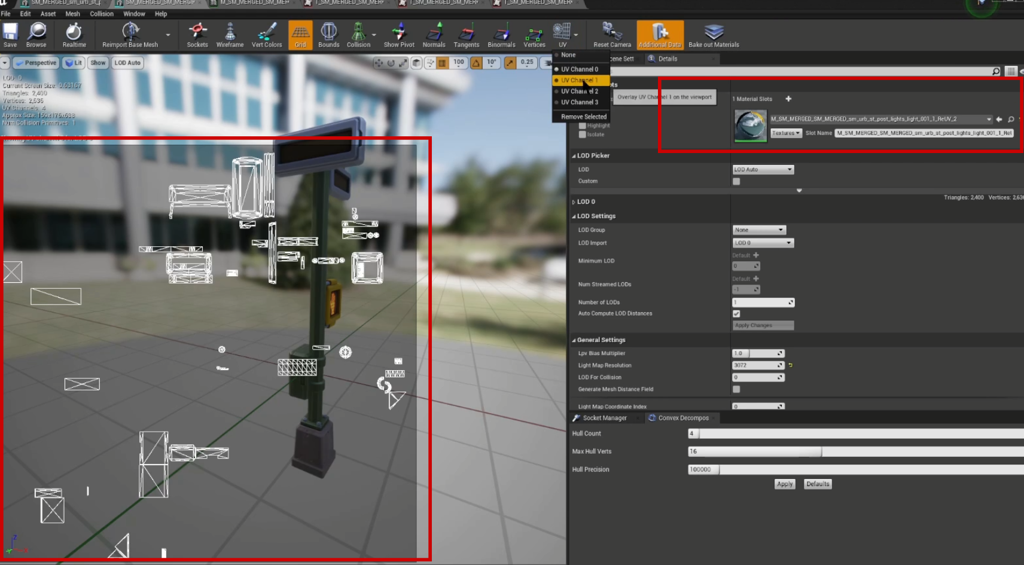 Wasted UV space after merging
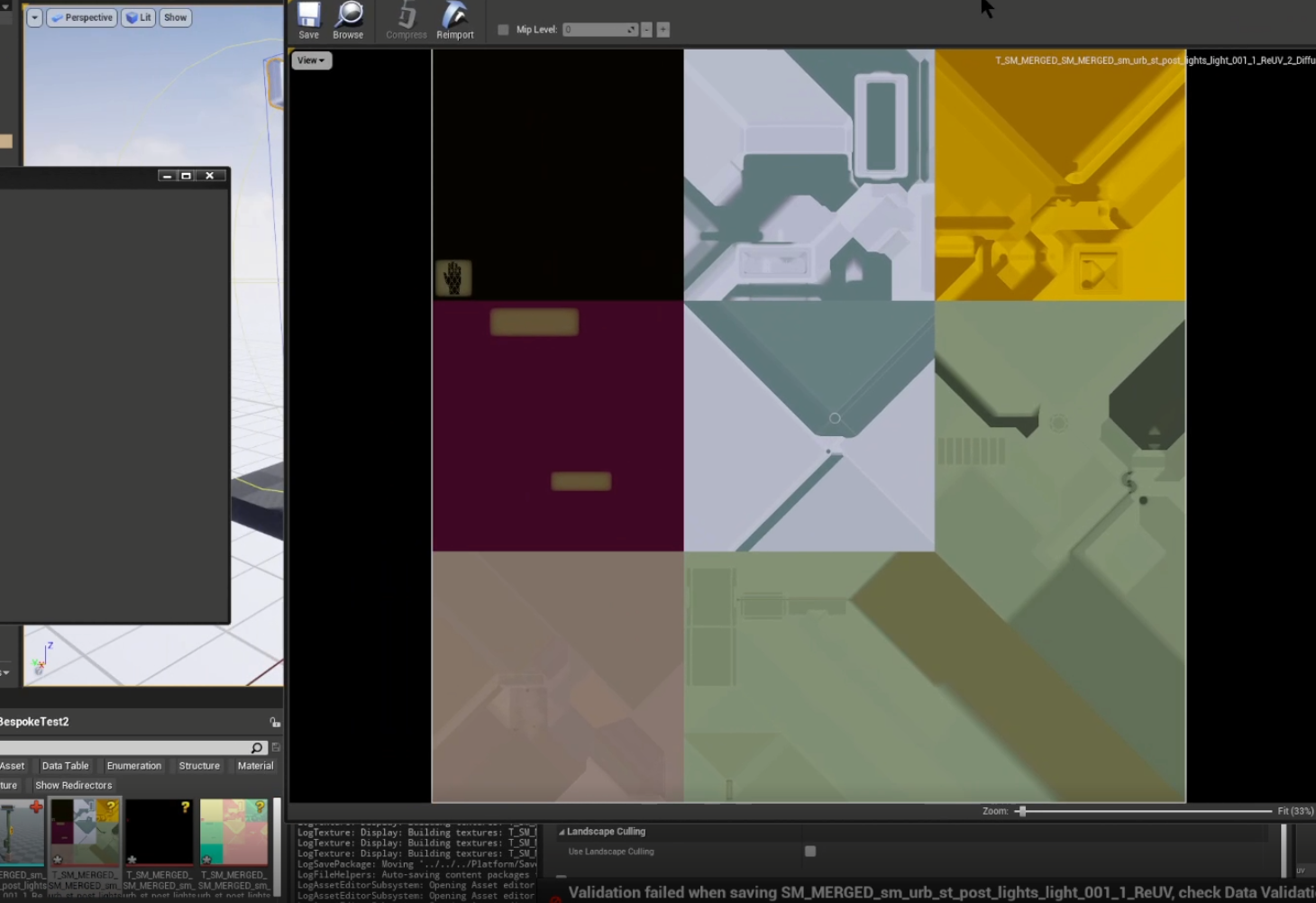 Wasted UV space after merging, second example
What I did: I spent 4 days on a technical validation and worked out a process spanning the Core editor, UE, and Maya:
- Merge the meshes with materials kept separate, with Generate Lightmap UV enabled.
- Export the merged mesh to FBX without merging materials.
- Re-lay out the lightmap UV channel in Maya for tighter packing. This channel isn't used for actual lightmapping, so UV shells may overlap.
- Import back into UE and reassign materials.
- Place the mesh in a level and run Merge Actors again with Merge Materials and Reuse Lightmap UV enabled.
- Import into Maya, re-lay out the UVs with a custom tool, and process the source textures to match the new layout.
- Import back into UE and assign the updated textures.
Steps 3 and 6 are the key: because the lightmap UV channel isn't used for real lightmapping, its shells can overlap, which let me bypass UE's UV packing strategy during material merging and substitute a custom layout.
Results: the validation exceeded expectations. At equivalent effective resolution, textures went from 4K down to 1K, and the merged asset's draw calls dropped from one per source mesh and material to 1.
Why it stopped here: the process spans three applications, and the UV re-layout has to keep texel density roughly uniform across the asset, which depends on an artist's judgment and is hard to automate fully. My assessment was that turning this into a reliable automated tool would cost considerably more than it was worth at the time. Project requirements then shifted, these assets were no longer a performance bottleneck, and we stopped investing, keeping the work as a documented technical validation.
What it left behind: the validation pinned down why UE wastes UV space when merging materials, and how the lightmap UV channel can be used to get around it. That conclusion still applies whenever texture budgets need to be controlled.
4. Selected Smaller Tools
| Tool | Problem it solves | Tech | Usage |
|---|---|---|---|
| Character / Prop set stub generator | Before the real art assets exist, generate placeholder files with correct naming and folder placement (skeletal meshes, static meshes, materials, textures, blueprints, data assets, animations, and more) with all references wired up, so the team can validate functionality early. The stubs are later replaced by the final assets. | Python · Blueprint | An essential tool for character artists creating new characters and parts |
| Niagara blueprint generation | Reads each Niagara system's configuration, generates blueprint nodes per parameter type, and connects them to the right initialization and event nodes. All blueprint graph editing is done through C++. It removed a large amount of repetitive node wiring for VFX artists. | C++ · Blueprint | An essential tool for VFX artists |
| Performance data collection | Scans specified folders and collects property data for meshes, materials, and textures, outputting structured sheets for performance review. Properties can be enumerated dynamically for any asset type, so new types are easy to add. | Python · Blueprint | Drove a large-scale asset optimization pass |
| DataTable ↔ Google Sheet sync | Designers tune values in a Sheet and they sync back into UE. Built on the GSheetsOperator plugin with a custom UI and workflow. | Blueprint | Lets designers adjust game values directly at the design layer |
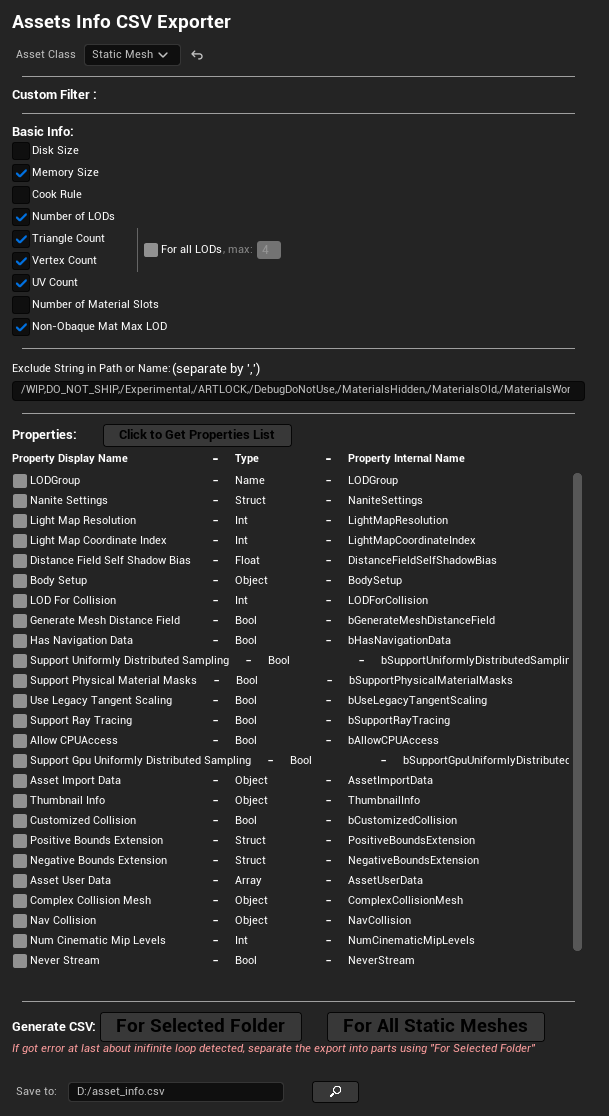 Performance data collection
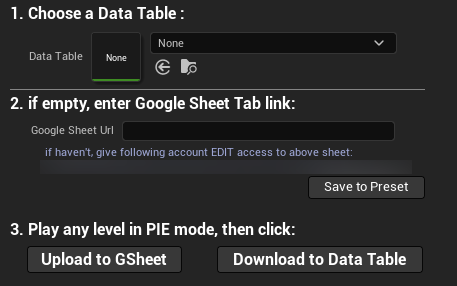 Google Sheet sync
Beyond these there are smaller tools I haven't detailed: batch renaming and asset organization, material instance batch processing, level asset statistics, texture compression setting checks, and others. None is large on its own, but they share the same framework and UI conventions, so learning one tool teaches an artist how to use the rest.
Principles I Took Away From Building These
Building 20+ tools across different parts of the pipeline, largely on my own and over several years, forced my criteria to converge. This is the list I run through before starting any new tool:
One click, with the result immediately visible. An artist shouldn't need to understand what the pipeline does internally to trust what it produced.
Solve one person's problem first, then generalize. The importer started as a local script that configured assets by naming convention. Only once that worked did I connect it to RemoteExecution and turn it into a complete path from DCC to UE. Designing the general framework first tends to pile up complexity before anyone is using it.
Rules belong in data, not in code. All 98 validator rules live in a DataTable, so art leads can add rules themselves instead of waiting for my schedule. The test I apply: will this change often? If so, it belongs in data.
Keep reporting separate from fixing. The validator only reports problems; fixes happen after the user reviews them. Automatic fixes modify assets without the artist knowing, and the few seconds saved never cover the cost of tracking that down later.
A tool has to handle source control itself. The importer checks files out and adds them to a changelist automatically. A tool that fails because a file is read-only won't get used a third time.
Build it so someone else can maintain it. Python carries the main logic, C++ only handles what the engine won't expose otherwise, and Blueprint is limited to UI. Combined with a shared framework, consistent UI conventions, and Confluence documentation, this keeps most changes within reach of anyone on the TA team rather than only me. Consistency is a feature in its own right: it makes what an artist learns transfer from one tool to the next.
Let a solution stop at validation. The bespoke conversion process worked well, but automating it would have cost far more than it returned at the time, and requirements shifted soon after, so I kept it as a documented validation. Whether a tool is worth building and whether it can be built are two different questions.
Related Projects
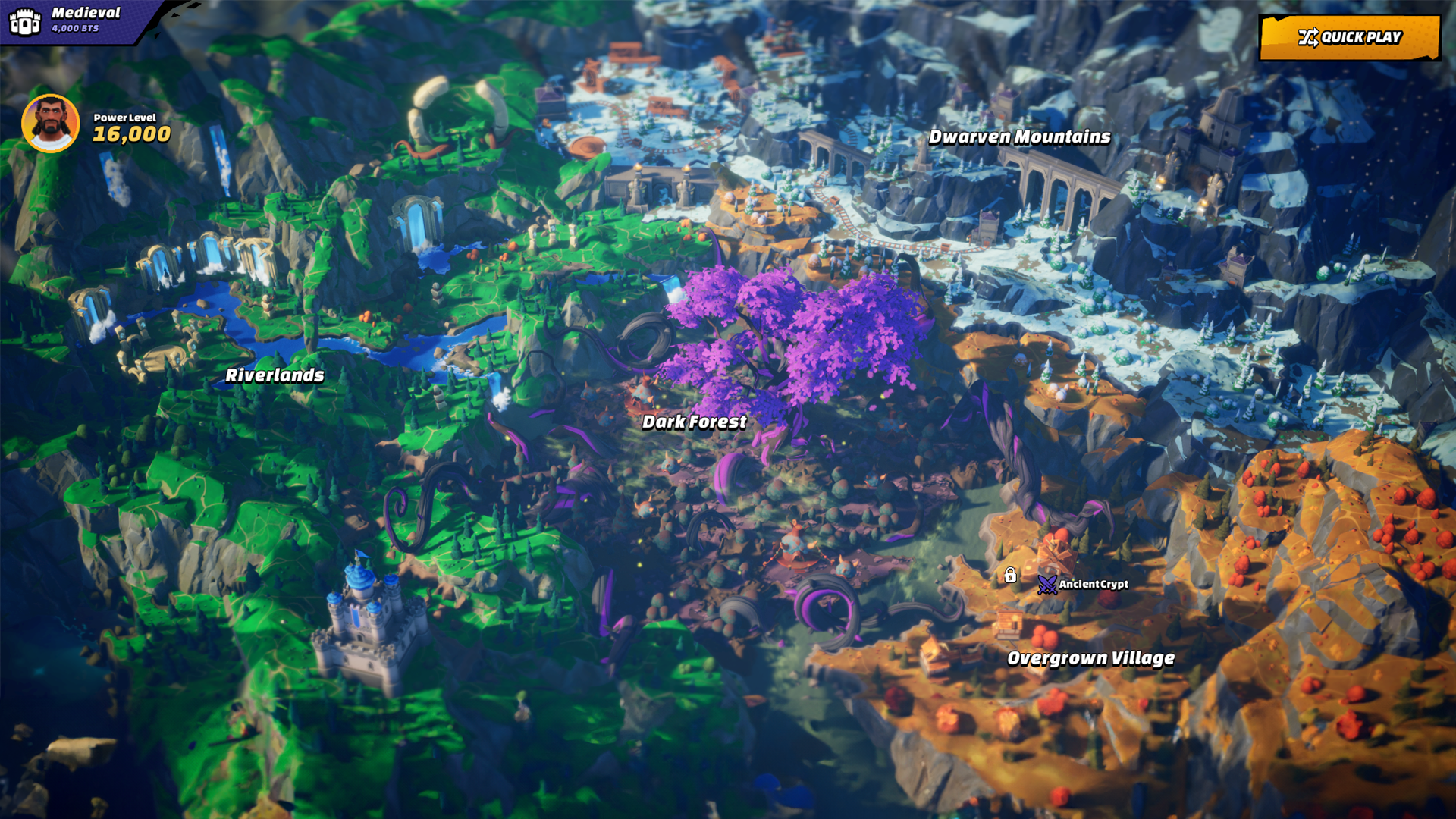
Out of Time
Manticore Games · 2026
Core-to-Unreal automation pipeline and large-scale mob rendering for a multiplayer rogue-lite
Impact
Artists kept Core's fast iteration while the runtime gained native UE performance. The pipeline became the performance foundation of Out of Time: ~50% fewer actors, ~90% fewer mob draw calls, and 200+ on-screen mobs at 30 FPS on Steam Deck.

Core Platform / Core Games
Manticore Games · 2020
Multiverse game engine and platform for user-generated games
Impact
Improved internal content creation workflows, supported shipped live experiences and marketplace content, and created tools that remained useful to production teams over multiple years.
DCC Tools / Pipeline
Manticore Games · 2020
Digital content creation tools and pipeline integrations
Impact
Standardized artist-facing DCC workflows, reduced manual export/setup work, and made pipeline tools easier for technical artists to maintain and extend.