My Gaming Room
WIPFrom AI-generated models to interactive, simulation-ready 3D assets
Personal Project
2026
Solo Developer / Technical Artist
Context
An AI-assisted 3D asset pipeline that delivers one design to two runtimes, an interactive Three.js room and a MuJoCo rigid-body simulation. The work focuses on asset specifications, geometry optimization, articulated mechanisms, collision proxies, and contact validation.
My Contribution
Owned visual direction, AI asset specifications and review, Blender assembly and mechanical segmentation, optimization and export tools, web interaction, and MuJoCo asset generation and validation.
Impact / Outcome
Built a repeatable path from generated models to interactive and simulation assets, with every step checked against geometry quality, mechanical function, and measured contact. When an asset is replaced or the environment is extended, the impact can be judged directly against existing interfaces and validation results.
Outcome Summary
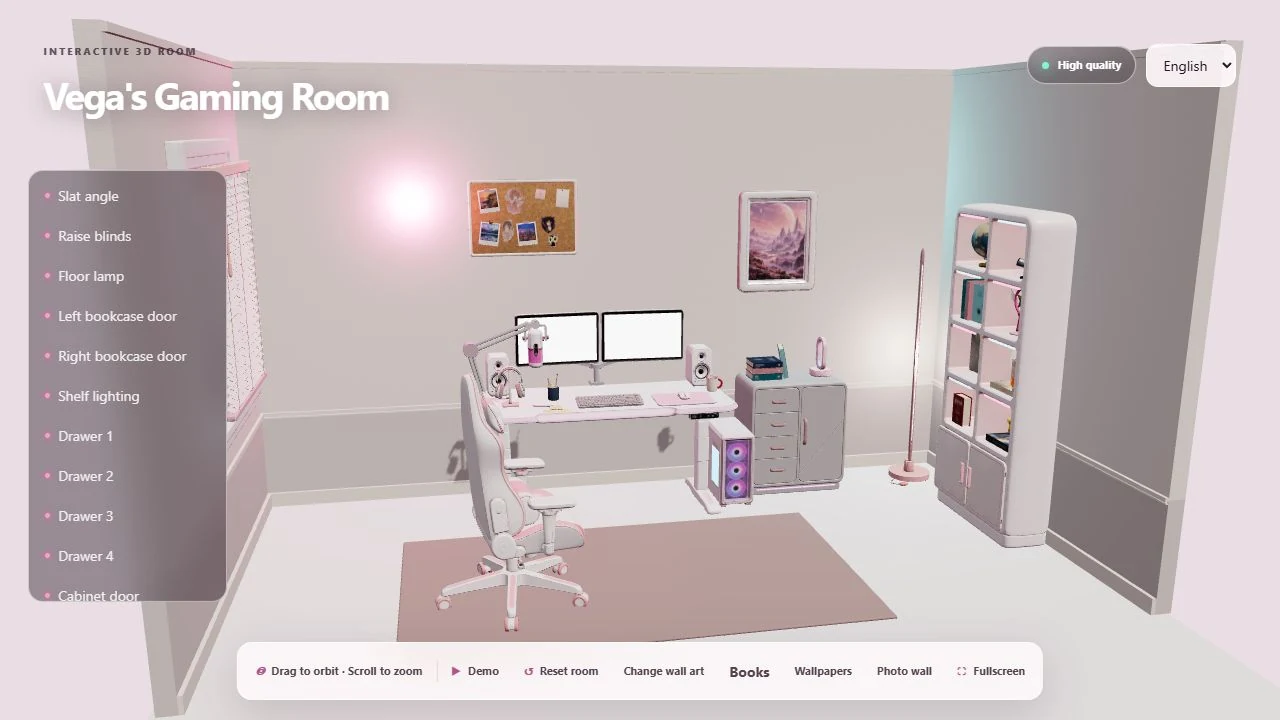
My Gaming Room: From AI-Generated Models to Interactive, Simulation-Ready Assets
TL;DR: AI-generated models look convincing, but their parts are fused and their dimensions unreliable, so they can neither move nor be used for physical simulation. I built a pipeline that turns generated models into assets with reliable dimensions, controllable parts, and a clear specification for each runtime, then delivered the same design to an interactive web room and to a MuJoCo simulation where a robot physically manipulates the furniture.
Interactive Three.js room with populated bookshelves, desk accessories, and a personal photo wall
Hero image: the interactive Three.js room, updated with books and shelf props, desk accessories, and a personal photo wall. Asset breakdowns and MuJoCo inspection views appear below.
Table of Contents
- At a Glance
- The Problem
- Constraints
- 1. Define Assets by Their Use Before Generating
- 2. Optimizing Geometry Without Losing Function
- 3. Building Articulated Assets for MuJoCo
- 4. Validating Contact and Motion
- 5. Extending the Interactive Room
- Current Scope and Limitations
- Retrospective: What I Would Do Differently
At a Glance
| My role | Solo developer: visual direction, asset specifications, model review, mechanical segmentation, optimization tools, web interaction, and the simulation asset pipeline |
| Toolchain | GPT Image for multi-view concepts → Seed3D for high-poly models → Blender (decimation, segmentation/assembly, mechanism definition) → Python tools → Three.js / MuJoCo |
| Deliverables | A public Three.js room · a rebuildable Blender asset and mechanism workflow · a separate MuJoCo rigid-body scene with validation records |
| Key numbers | −98.7% triangles across 14 prototypes · chair split into 18 mechanical parts · 13 mechanism checks + 5 robot-contact regressions all passing · 24 numeric controls / 19 interaction targets |
Explore the room in your browser
The Problem
This started as a room I wanted to design for myself and grew into a technical art pipeline connecting AI-generated assets, Blender, Three.js, and MuJoCo.
The central question was: how do I turn a generated model that looks right into an asset with reliable dimensions, controllable parts, and a clear specification for each runtime?
The two runtimes need very different things from the same piece of furniture:
- The web room needs it to look good, load quickly, and move exactly as defined in Blender.
- The MuJoCo simulation needs explicit rigid-body boundaries, joint axes, contact surfaces, mass, and inertia, so a Stretch robot can actually push the chair, press the standing-desk button, and fold the microphone arm.
The two paths share source assets and some mechanism definitions, but geometry and validation are tailored to each use.
Constraints
- Generated structure can't be trusted: silhouettes survive, but parts that need to move independently are often fused, and disconnected topology islands may be UV seams rather than mechanical boundaries.
- Generation has a cost: every generation job costs money and time, so repairs and decimation should reuse existing source models rather than regenerate them.
- Two runtimes, two sets of geometry requirements: the web version must be light, the simulation's visual model must delineate mechanical regions, and contact must use simplified proxies. Changing one must not silently change the other's physical behavior.
- Everything must be traceable and rebuildable: geometry, coordinate conventions, and runtime node identities need to be tracked and rebuilt together, and a failed build must never break the last usable assets.
1. Define Assets by Their Use Before Generating
I tried two generation approaches:
| Approach 1: generate whole, then split | Approach 2: split semantically, then generate by part | |
|---|---|---|
| Flow | GPT Image generates whole-object multi-view concepts → Seed3D generates a whole high-poly model → Blender decimates, splits, and defines mechanisms | GPT Image generates a whole-object concept → GPT splits it into semantic parts and generates a concept for each → Seed3D generates each part as a high-poly model → Blender decimates and assembles |
| Used for | The first 13 high-poly assets | Blinds, floor lamp, and bookcase (14 prototypes); the chair was later rebuilt this way too |
| Strengths | Consistent overall form, fewer generation jobs | Every part is complete geometry and can move from the start |
| Weaknesses | Parts that need to move independently come out fused; disconnected topology islands are sometimes UV seams rather than mechanical boundaries; splitting afterward is expensive | More generation jobs, and part dimensions have to be aligned during assembly |
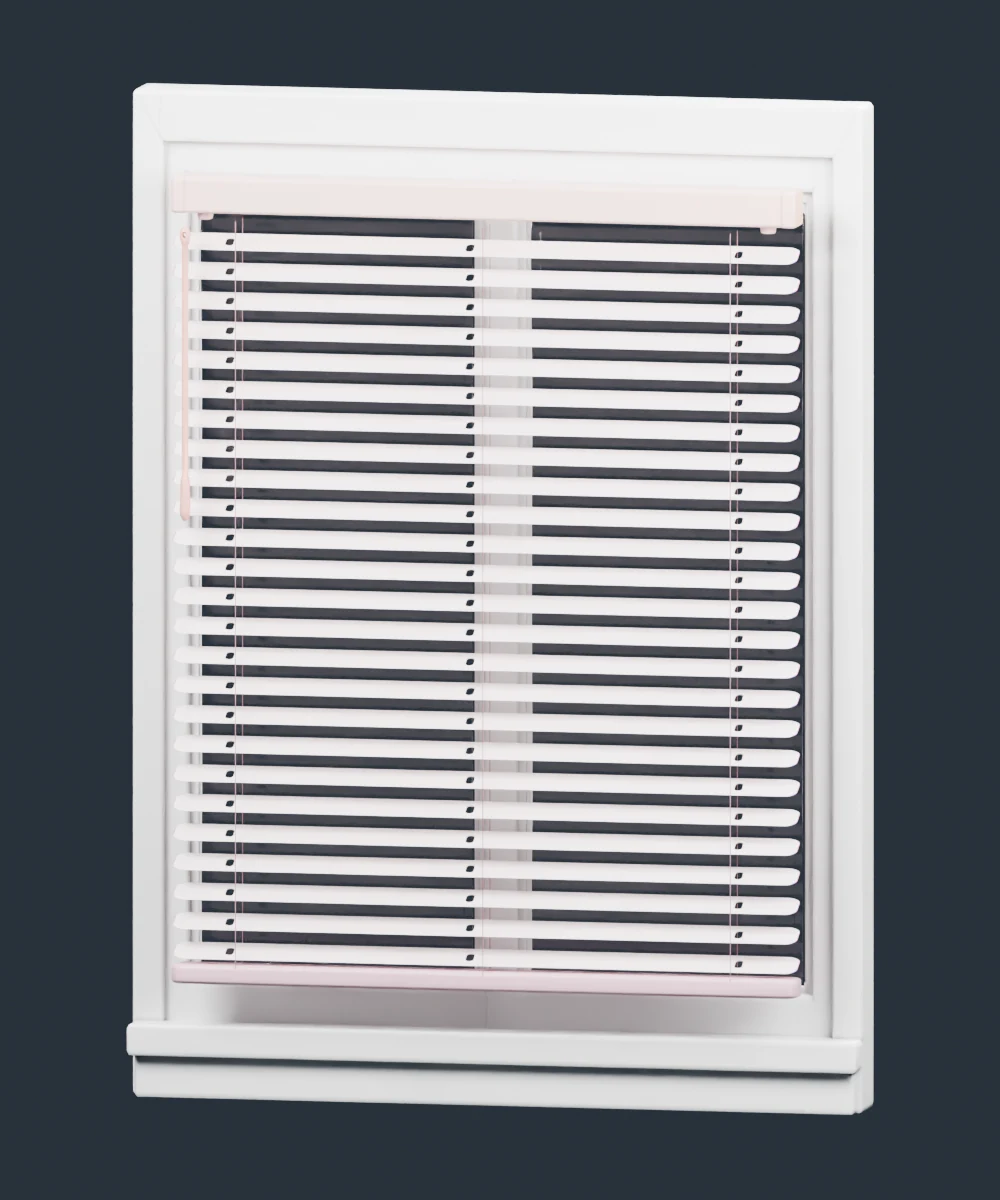
The problems with Approach 1 led me to move those requirements into the asset brief: define what must rotate, detach, repeat, or emit light before choosing generation boundaries and geometry budgets. That became Approach 2. Window frames, slats, doors, handles, lamp bodies, and diffusers became 14 separate prototypes, with repeated parts instanced during assembly. That batch used one High, four Medium, and nine Low generation jobs, and subsequent repairs and decimation reused the existing source models to control generation cost.
How the work split between AI and me: GPT handled the concept images, the semantic part decomposition, and most of the operations in Blender. I defined the asset specifications and acceptance criteria, reviewed every round of generated output, decided the segmentation boundaries, and made every call that affects functional correctness, such as the window-frame ray tests, collision proxy fitting, and contact acceptance.
| Window and blinds | Floor lamp | Bookcase |
|---|---|---|
 Complete window and blinds Complete window and blinds | 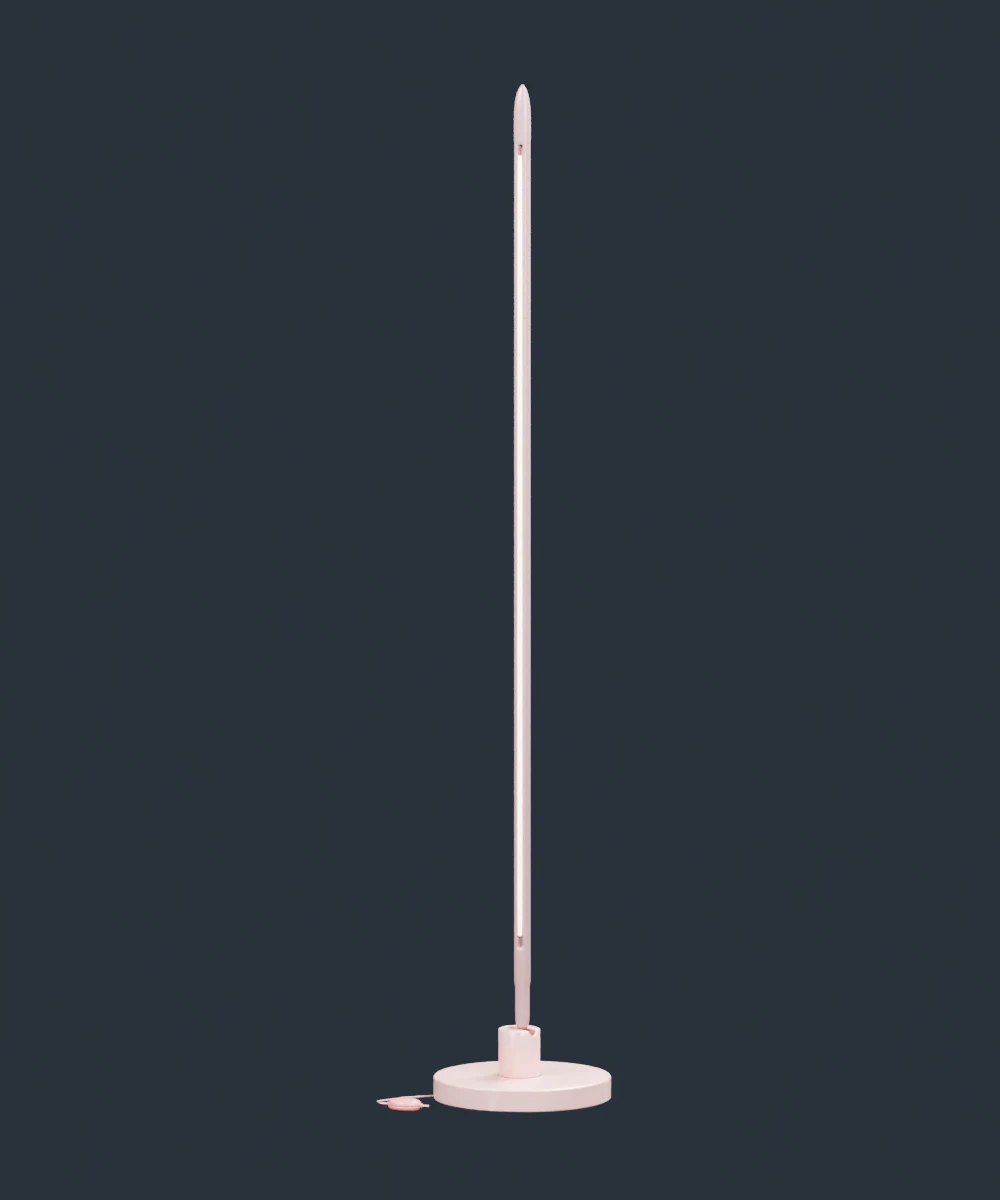 Complete floor lamp Complete floor lamp | 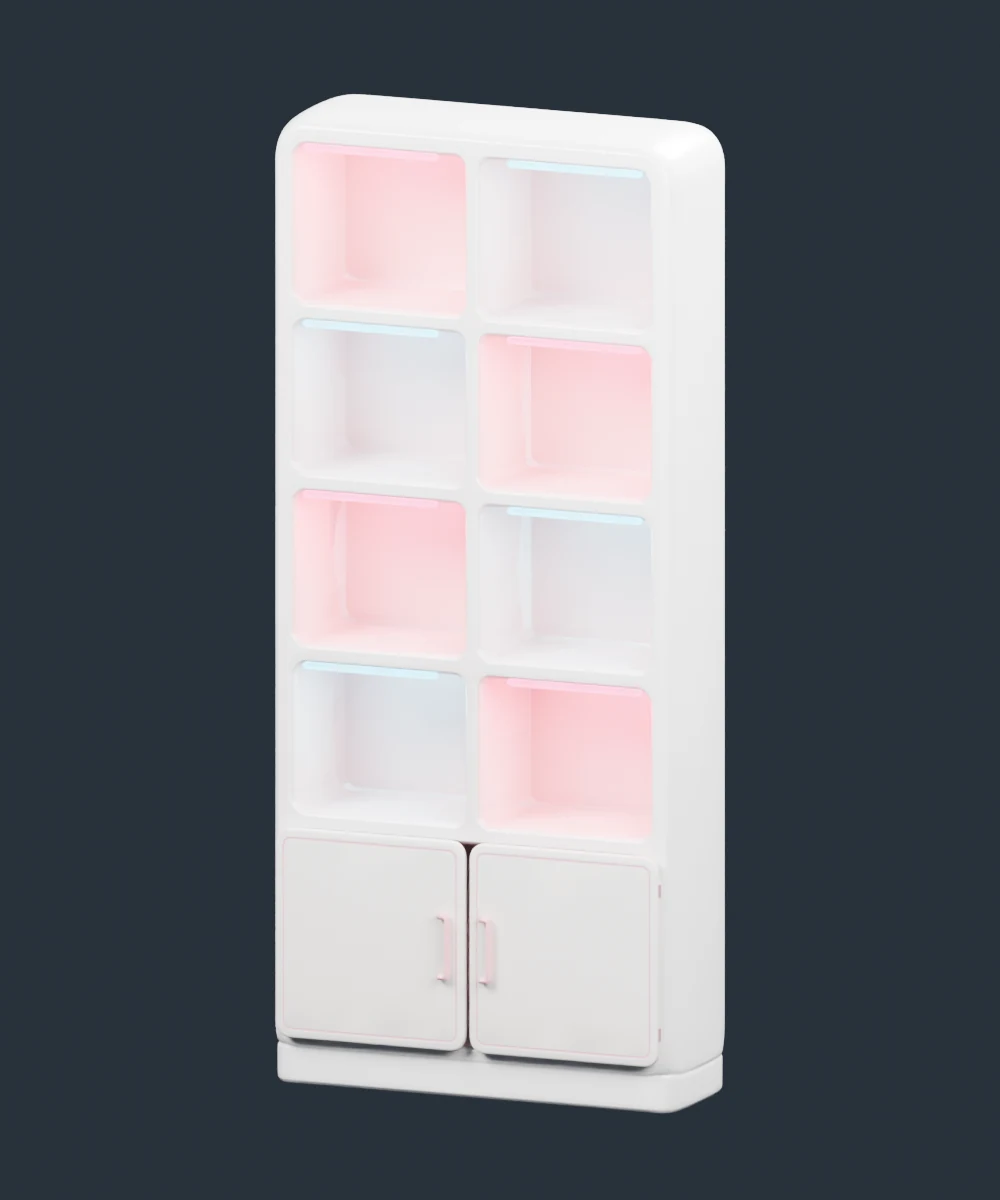 Complete bookcase Complete bookcase |
The three complete environment additions, assembled from the 14 optimized prototypes and rendered individually in Blender. Repeated slats, doors, and lighting elements are instanced during assembly.
The chair shows why the asset boundary matters. Its original cushions were fused to the backrest and left incomplete surfaces when separated. I redefined it as three complete assets — the bare chair, the headrest cushion, and the lumbar cushion — and established their attachment relationships afterward. Removing either cushion now leaves a complete chair surface, and the cushions have intact geometry for detachment and release in simulation.
I also replaced the plant on top of the cabinet with books, because I enjoy reading, especially science fiction: Dune, Foundation, Neuromancer, and The Three-Body Problem. They make the space feel like my own, and they became close-up interactive content in the web room.
2. Optimizing Geometry Without Losing Function
I split optimization into stages that can each be inspected: connectivity repair, per-part triangle budgets, UV and material preservation, normal reconstruction, compression, and post-export validation.
Each stage had its own failure mode:
- Cracks along UV seams: vertices duplicated along UV seams separate during decimation and open cracks. I repaired connectivity while retaining per-corner UVs, then checked simplified and compressed meshes against their permitted boundary-edge counts.
- Inverted thin triangles: position quantization could flip extremely thin triangles on mechanical links, so the compression path keeps floating-point vertex positions.
- Incorrect normals: source models had nonuniform scale, so normal reconstruction accounts for it, followed by inspection of the exported surfaces.
Geometry checks should test function, not just exportability. One generated window frame passed routine topology checks but had a blocked opening. After repairing it, I used ray tests to confirm two things at once: the opening is clear, and the frame is still there.
| Rejected frame | Repaired frame |
|---|---|
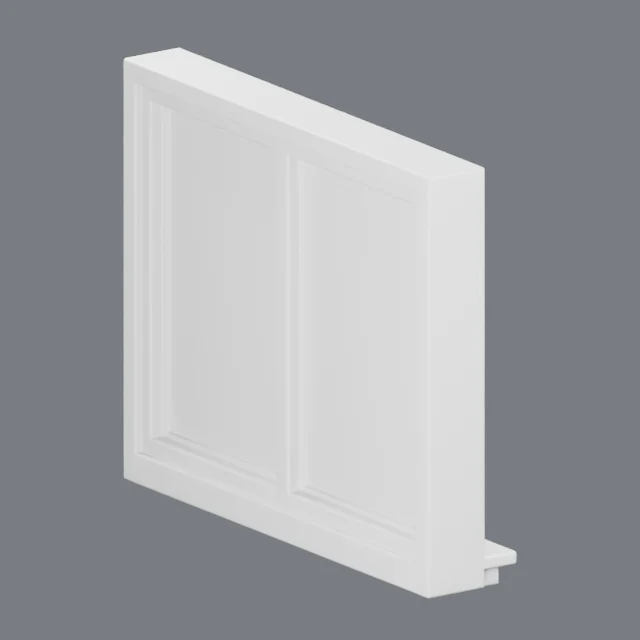 Window frame before repair, with its apertures blocked Window frame before repair, with its apertures blocked | 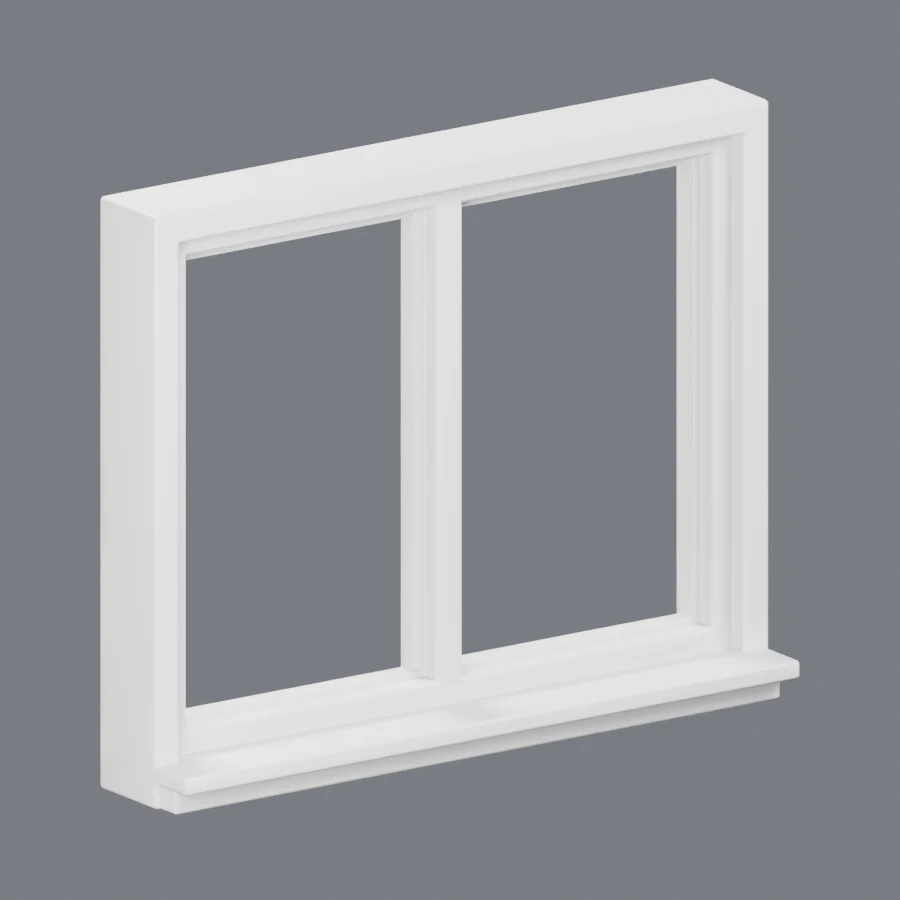 Window frame after repair, with two clear openings Window frame after repair, with two clear openings |
QA views from two iterations, captured at different angles. The repaired frame passes 36 aperture rays in both directions, while 10 frame rays still hit solid geometry.
| Environment expansion: the same 14 prototypes | Result |
|---|---|
| Source triangles | 3,899,244 |
| Optimized triangles | 50,216 |
| Geometry reduction | ~98.7% |
These totals count one copy of each prototype. Instances add geometry to the assembled scene, so this is neither a whole-room reduction figure nor a frame-rate measurement.
The build itself has to be reliable. The base room has desktop and lightweight variants, both derived from retained source assets to avoid compounding damage through repeated decimation. The build records source and tool versions, validates both raw and compressed GLBs, and updates the asset manifest only after every check passes; if any step fails, the previous usable assets stay in place. Geometry, coordinate conventions, and runtime node identities can therefore always be traced and rebuilt together.
3. Building Articulated Assets for MuJoCo
Simulation needs explicit answers about rigid-body boundaries, joint axes, contact surfaces, mass, and inertia.
Visual, collision, and physics are maintained separately:
- Blender handles geometry and mechanism preparation.
- Configuration files describe properties such as mass, joints, and materials.
- Python tools generate modular MJCF and an inspectable scene manifest.
- Visual meshes don't participate in contact; collision proxies are simplified per part and per task; dynamic bodies have explicit inertial properties.
This way, changes to render geometry can't silently change physical behavior.
The replacement chair: segmented by motion. When integrating the new chair, I split its three source assets into 18 mechanical visual parts covering the base, lift column, seat, backrest, armrests, five caster assemblies, and two cushions. Motion determines the segmentation: the seat swivels independently of the base, each caster steers and rolls, and the cushions have their own attachment and release constraints.
The replacement also required refitting collision proxies and attachment points. The old proxy's seat height was about 0.69 m against the new model's 0.48–0.50 m, so I adjusted it and corrected the wheel contact points, armrests, backrest hinge, and cushion placement, while keeping the existing control interfaces unchanged so the task code above them didn't need to change.
| Mechanical segmentation | Independent cushions in MuJoCo |
|---|---|
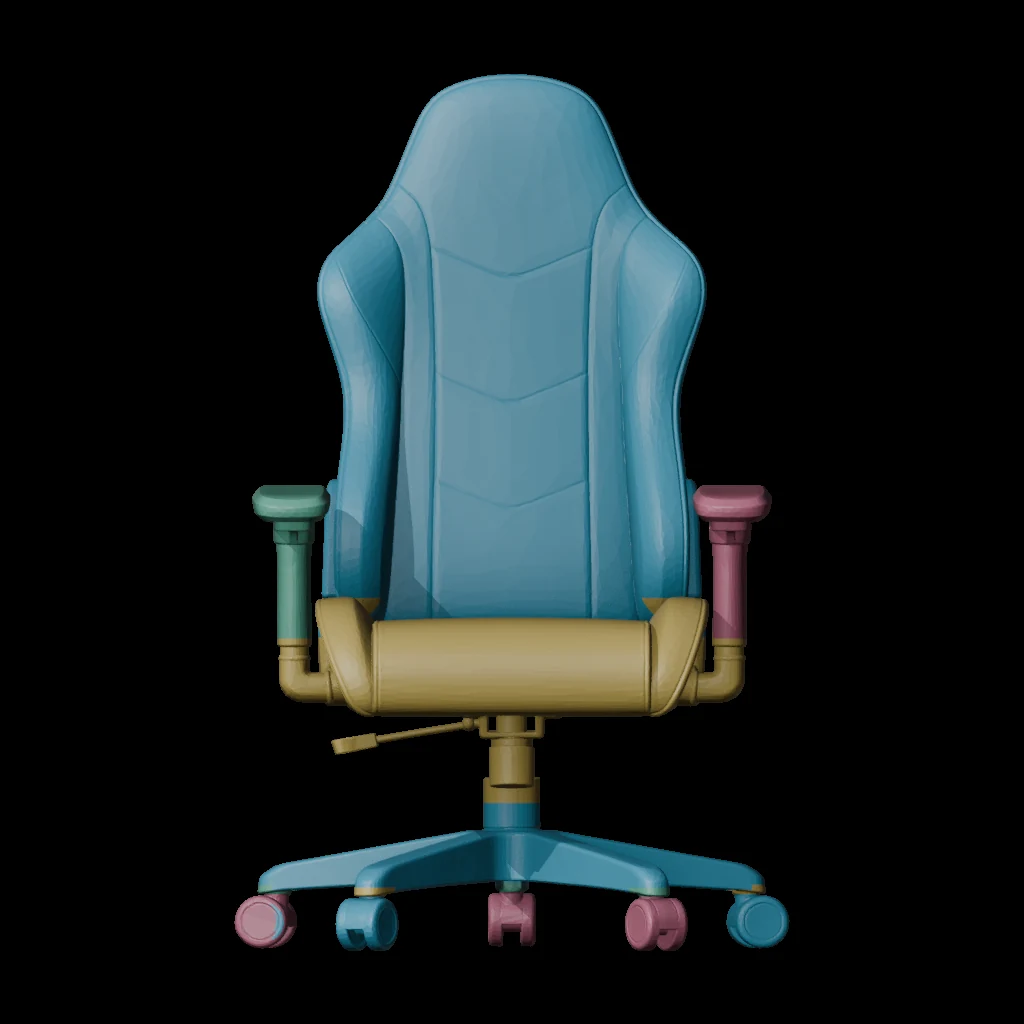 Color-coded mechanical visual regions of the replacement chair Color-coded mechanical visual regions of the replacement chair | 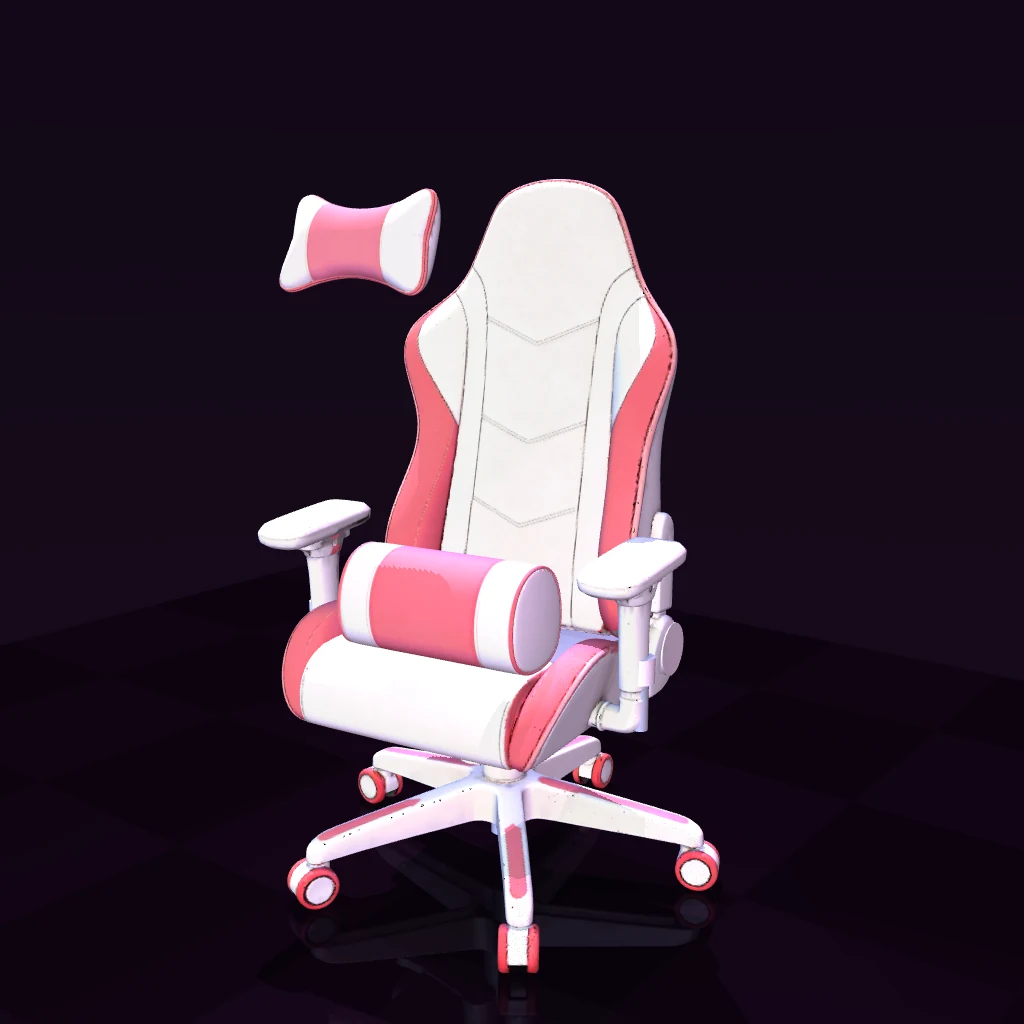 MuJoCo inspection pose with the headrest and lumbar cushion displaced from a complete backrest MuJoCo inspection pose with the headrest and lumbar cushion displaced from a complete backrest |
Left: visual segmentation diagnostic. Right: a configured MuJoCo inspection pose confirming complete chair and cushion surfaces after separation. This is a structural check, separate from the contact tests in the next section.
Geometry budgets follow the representation's purpose. The web chair and cushions total 76,000 triangles. The MuJoCo visual derivative uses about 130,340 surface triangles to delineate mechanical regions, with local caps generated separately, while simplified proxies still handle contact. Because visual segmentation and collision cost are managed independently, the mechanism's behavior holds when the model changes.
4. Validating Contact and Motion
Validation has two layers:
- Mechanism checks set joint states directly to verify segmentation, joint axes, joint limits, and measurement interfaces.
- Robot-contact tests use deterministic controllers acting only through the Stretch robot's actuators, recording both contact with the target and the resulting motion.
For the chair-push task, success requires all of the following: robot–chair contact, chair displacement, and steering and rolling at all five casters. The caster requirement catches a false positive in which the chair slides across the floor without its wheels turning.
| Chair-push acceptance check | Recorded result |
|---|---|
| Chair displacement ≥ 25 cm | 25.4 cm |
| Robot–chair contact during the task | Confirmed |
| Steering and rolling at each caster | All five passed |
| Direct environment pose writes / furniture actuation | None |
Measured results from the contact report saved on September 17, 2026. These tests were not rerun for this article.
Reports are bound to versions. Every report stores hashes of the scene XML and the controller, and acceptance checks compare them with the current files, so a report from an older scene or controller can't be mistaken for current evidence. The September 17 chair update records 13 mechanism checks and five robot-contact regression runs, all passing, spanning chair pushing, the standing-desk button, and microphone-arm folding.
After replacing an asset, I can evaluate its effect on structure, controls, and contact, and narrow any failure down to a specific part, parameter, or task.
5. Extending the Interactive Room
The web experience has grown from a workstation into a full room with blinds, a bookcase, a floor lamp, individual books, and changeable wallpaper. It now exposes 24 numeric controls, 19 primary interaction targets, and eight device groups, with book information and wall-art selection handled as separate content interactions.
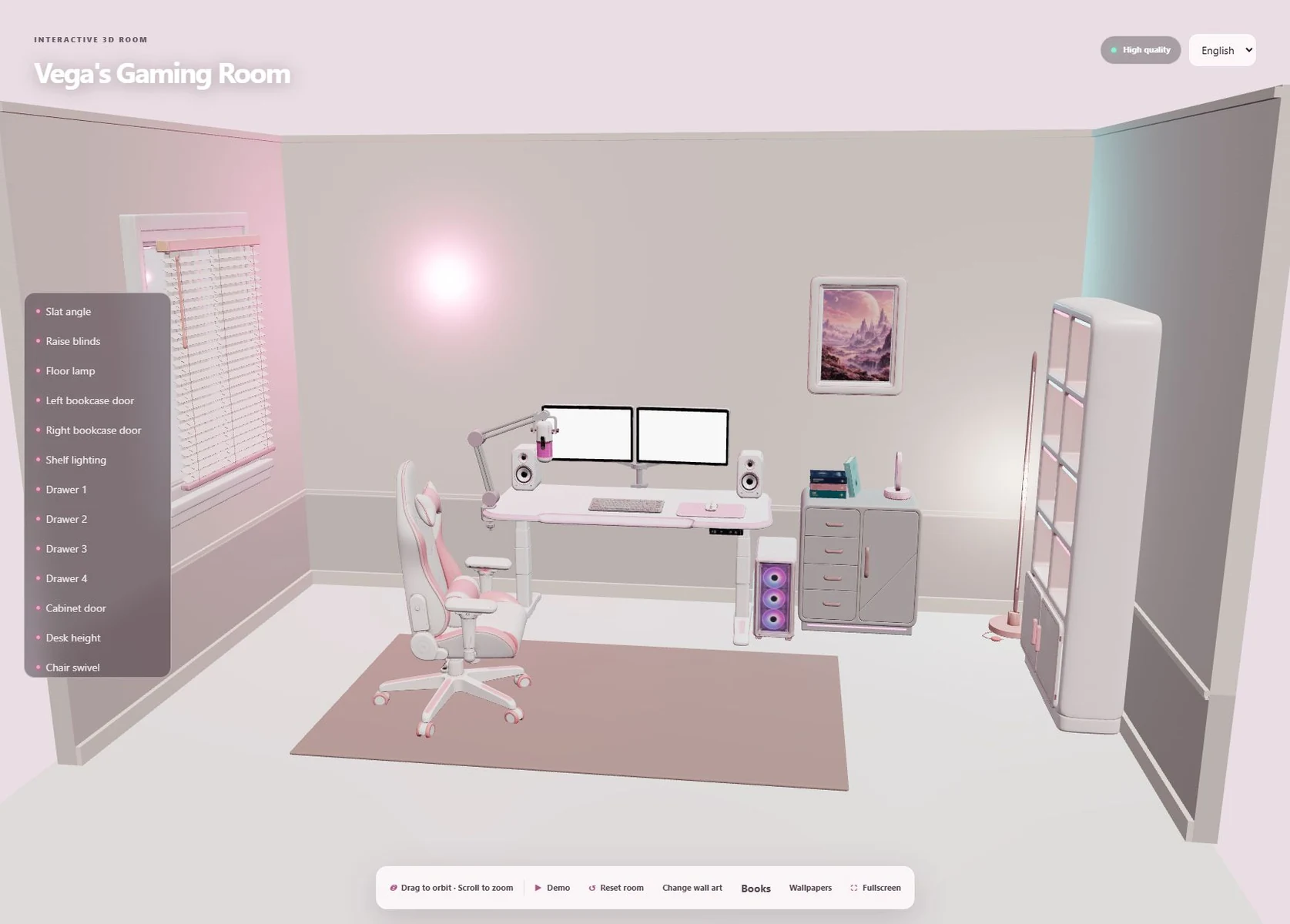 Published Three.js room with the expanded environment and interaction controls
The published browser experience, captured September 23, 2026.
Mechanisms are authored in Blender and verified on the web side. As the blinds rise, the slats flatten, change spacing, and stack beneath the headrail, while the bottom rail and cord lengths adjust with them. Bookcase doors and handles share their hinge transforms, and the interior light controls affect only the intended emissive components. All of these motions are defined in Blender and compared against exported poses to confirm that Three.js reproduces the authored transforms.
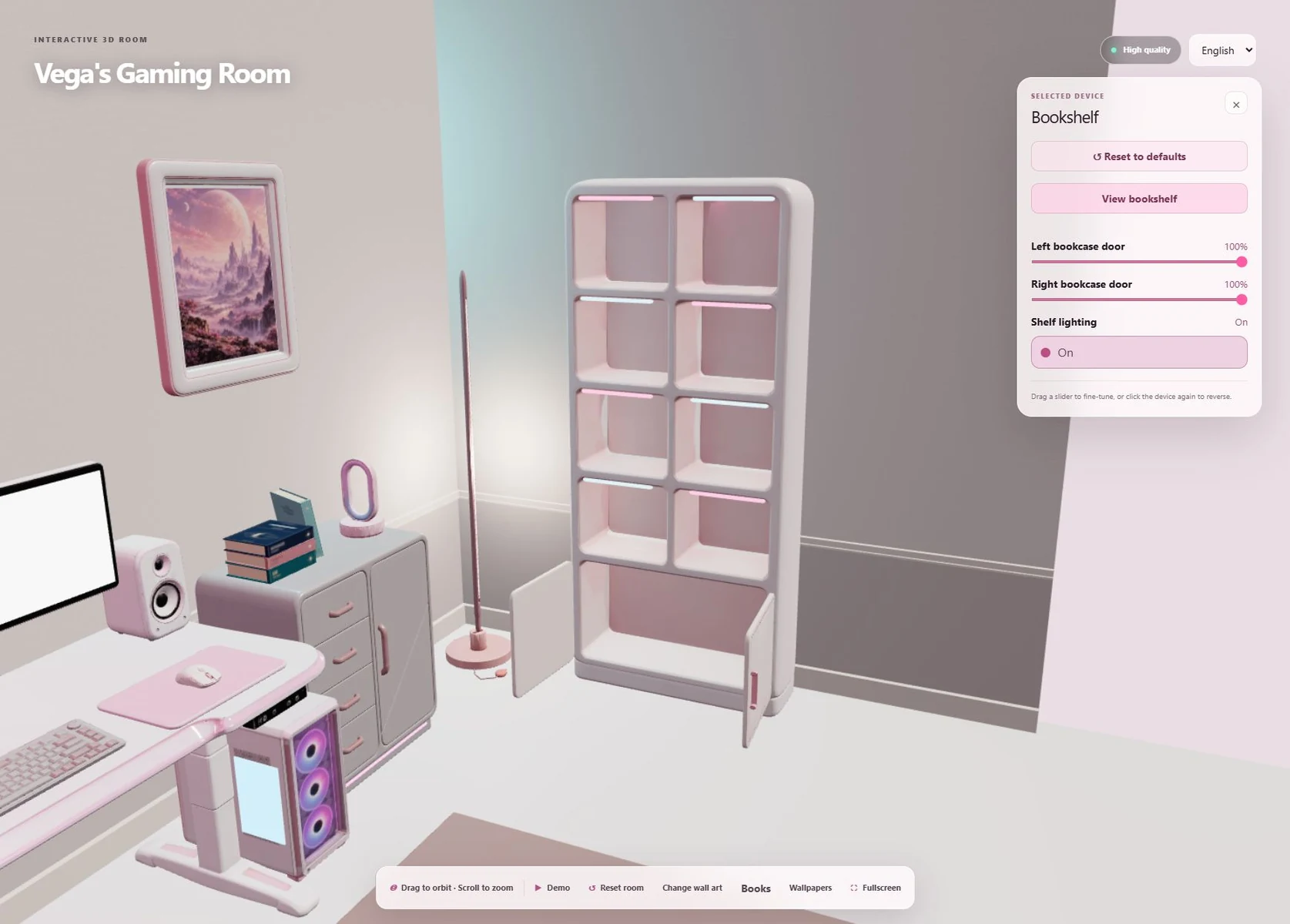 Bookcase close-up in the browser with both doors open and shelf lighting on
Layout constrains motion in return. With the desk pushed against the wall, only about 5 cm of cable clearance remains behind it. I narrowed the dual monitors' synchronized inward rotation and made sliders, clicks, demonstrations, and reset all share the same joint limits. An outer parent transform handles furniture placement without touching the local animation channels. Validation covers both the resting layout and articulated poses, to catch collisions that only appear during interaction.
New content doesn't disturb what's already verified. The browser supports full horizontal orbit, view-dependent wall cutaways, and close-up inspection of books and wall art with a return to the previous view. The environment expansion loads as a separate asset, and its controls are enabled only after loading and node-identity validation, so new content can be added without affecting the furniture assets and interaction interfaces already verified.
Current Scope and Limitations
This is a work in progress, and the two paths are at different stages:
- The web room reflects the latest layout.
- The MuJoCo scene's most recent update covers only the replacement chair; the new blinds, bookcase, and close-to-wall layout haven't been integrated yet.
- Physical parameters are not calibrated: mass, inertia, friction, and spring parameters still include estimates.
- What the current results support: the rigid-body assets and toolchain are usable and verifiable. What they don't yet support: physical fidelity and sim-to-real transfer, neither of which has been validated.
Next steps: parameter calibration, broader contact regression coverage, and validation for the new environment mechanisms.
Retrospective: What I Would Do Differently
- Write the specification from the first batch, not the second. The rework on the first 13 high-poly models was the cost of not defining motion boundaries before generation. "Define by use, then generate" was a lesson from that rework. Doing it from the start would have saved a large amount of tokens spent having GPT repeatedly split and patch models in Blender, and the parts meant for interaction would have come out more complete and coherent.
- Drive both paths from one build. Right now the web and MuJoCo branches advance independently, which is flexible but prone to drift: the web room already has the blinds and bookcase while the simulation is still at the chair. If a single asset manifest drove both builds, it could at least flag automatically which assets exist on only one side.
- Bring in calibration earlier. Geometry and mechanism validation are already rigorous, but the physical parameters are still estimates, which limits the contact tests to showing that mechanisms are correct rather than that behavior is realistic. Even a rough calibration of one or two pieces of furniture would noticeably strengthen the whole validation story.
Related Projects
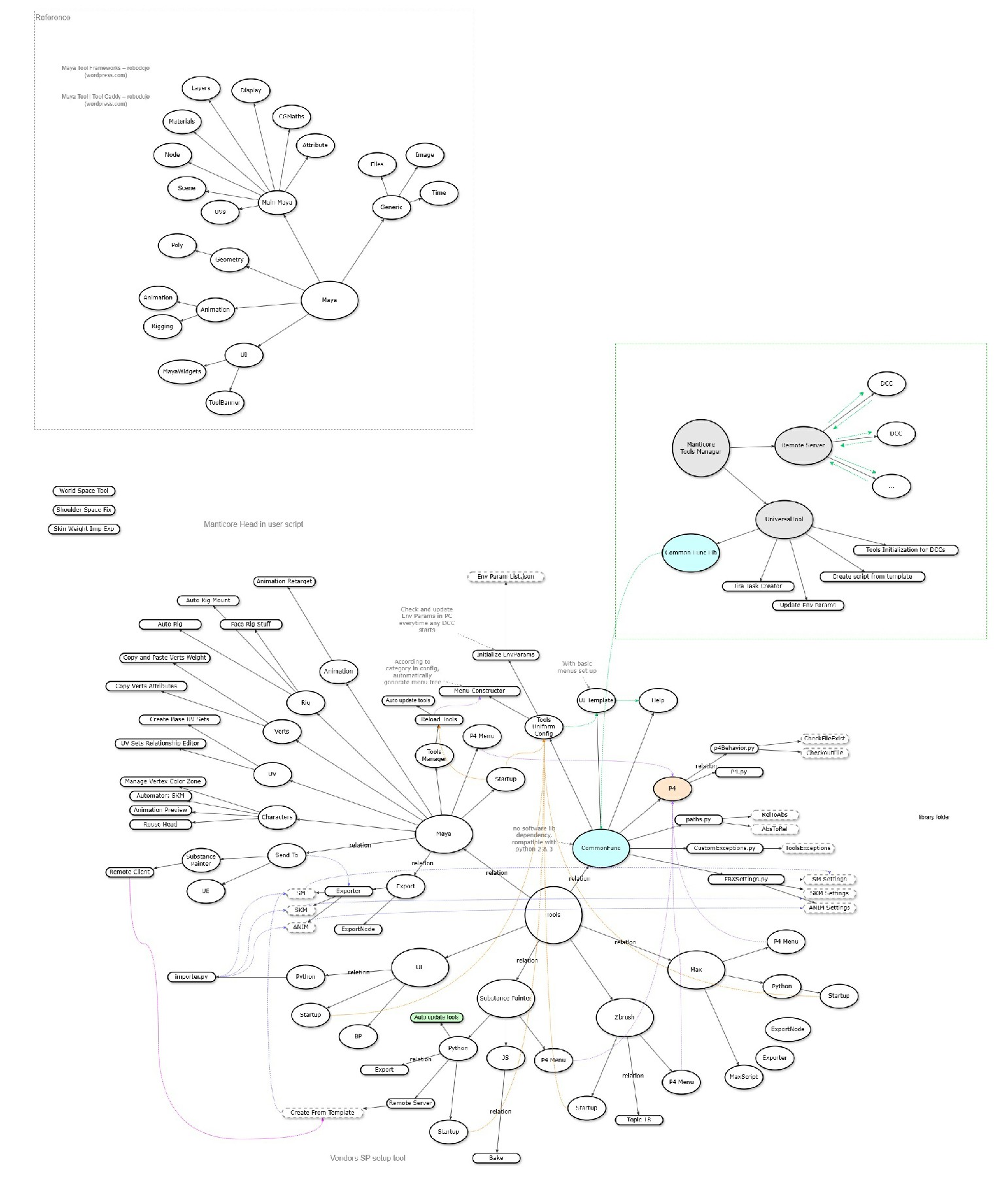
DCC Tools / Pipeline
Manticore Games · 2020
Digital content creation tools and pipeline integrations
Impact
Standardized artist-facing DCC workflows, reduced manual export/setup work, and made pipeline tools easier for technical artists to maintain and extend.
 WIP
WIPRoad Trip: Ahead One
Personal Project · 2026
A browser-based idle and companion game supported by art-directed procedural worlds and an AI-assisted 3D asset pipeline
Impact
Built and publicly released a playable road-trip game while developing a reusable approach to procedural art direction, AI-assisted asset integration, runtime diagnosis, and safe content iteration. Visual refinement and broader performance validation remain in progress.

AI Chat Avatar
Personal Project · 2023
Real-time conversational sales assistant with speech, viseme-driven lip sync, and character animation
Impact
Demonstrated a complete real-time conversational character workflow that unified cloud AI services with UE5 facial and body animation in a solo prototype.